VidBG Remover : Supprimez les Arrière-Plans Vidéo en Minutes avec l'IA
Introduction
VidBG Remover : l'outil IA le plus simple pour supprimer l'arrière-plan vidéo en ligne. Obtenez un fond transparent sans écran vert ni logiciel. VidBG Remover pour une suppression arrière-plan vidéo rapide et professionnelle.

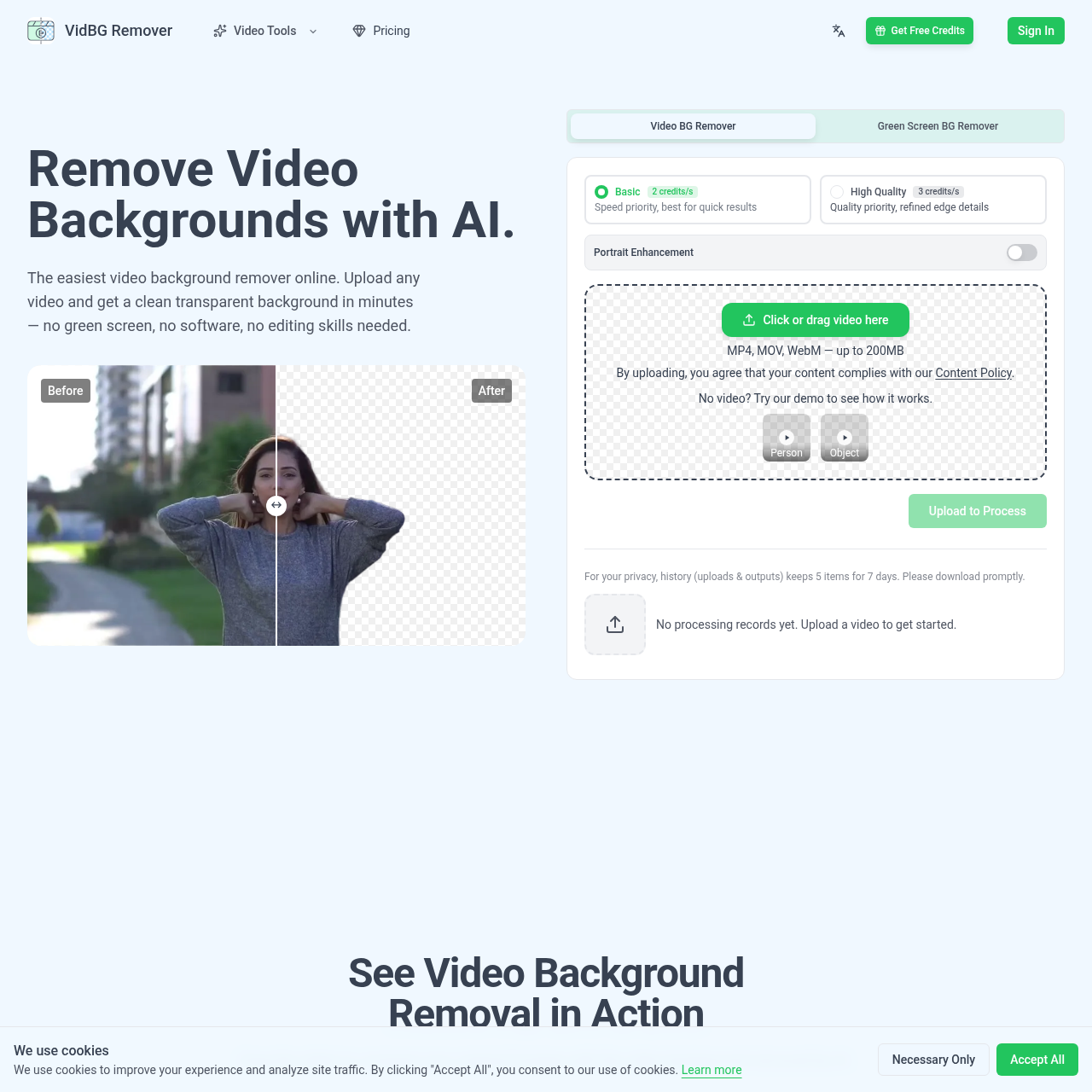
VidBG Remover's Vue d'ensemble
VidBG Remover est un outil IA de suppression d'arrière-plan vidéo qui permet d'importer des fichiers MP4, MOV ou WebM et d'obtenir en quelques minutes des arrière-plans transparents, sans écran vert, sans installation de logiciel et sans compétences en montage. Il gère bien la détection des contours pour les cheveux, les doigts et les mouvements rapides. Le rendu transparent peut être exporté en WebM (VP9) ou en MOV (ProRes 4444) pour être utilisé dans Premiere, DaVinci Resolve, After Effects ou CapCut. L'outil cible les talking heads, les publicités e-commerce, les cours en ligne, les scènes d'action, les vidéos d'animaux et les visuels automobiles. Il fonctionne avec des crédits payants à l'usage, sans abonnement.
VidBG Remover's Caractéristiques
Suppression d'arrière-plan vidéo par IA
Aucun écran vert requis
Import de fichiers MP4, MOV et WebM
Export transparent en WebM (VP9) et MOV (ProRes 4444)
Export avec canal alpha réel
Contours stables sans scintillement
Amélioration des portraits
Traitement dans le cloud sans installation de logiciel
VidBG Remover's Q&R
VidBG Remover's Tarification
Packs de crédits à l'usage, sans abonnement. Starter : 9,9 $ pour 240 crédits ; Creator : 29,9 $ (au lieu de 39,6 $) pour 960 crédits ; Pro : 79,9 $ (au lieu de 123,8 $) pour 3 000 crédits ; Max : 199,9 $ (au lieu de 495 $) pour 12 000 crédits. Les crédits n'expirent jamais.
VidBG Remover's Analyse
Aperçu du site web
Principaux indicateurs de performance pour vidbgremover.com
Taux de rebond
0.00%
Pages / Visite
0.00
Total des visites
0
Temps passé sur place
0m 0s
Classement mondial
#0
Rang du pays
#0
Principales régions
Répartition du trafic par pays
Total des visiteurs
Statistiques mensuelles des visiteurs pour les 3 derniers mois
Sources de trafic
Répartition des sources de trafic