
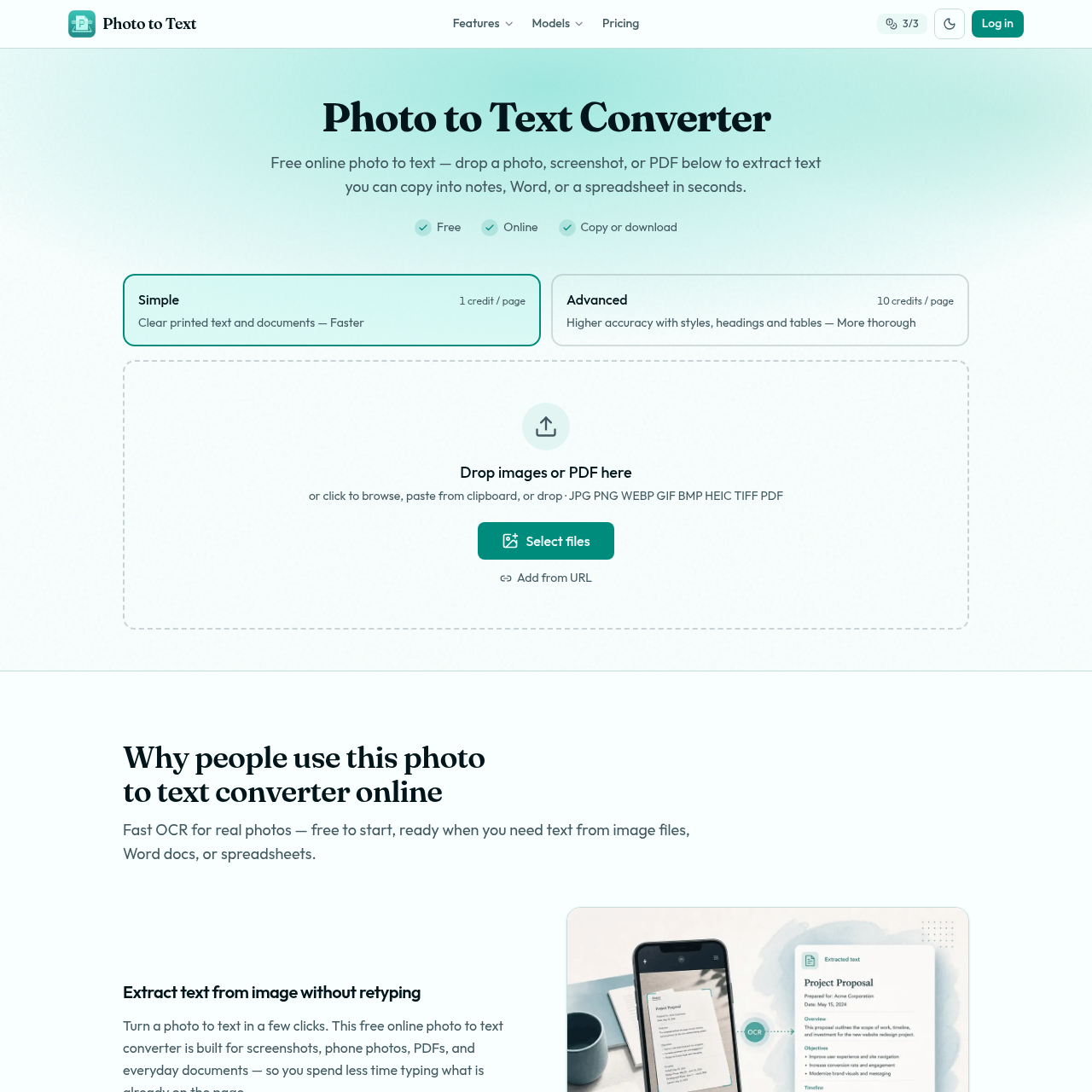
Photo to Text AI's Overview
Photo to Text Converter is a free online OCR tool from Photo to Text that extracts text from images, screenshots, photos, scans, and PDFs so users can copy content into Word, notes, email, spreadsheets, or download formats like DOCX, Markdown, and TXT. It offers two OCR modes: Simple for clear printed text and Advanced for harder documents, including blurry photos, tilted pages, handwriting, crowded layouts, and tables. The platform supports common file types such as JPG, PNG, WEBP, HEIC, TIFF, GIF, BMP, and PDF, and emphasizes fast conversion, no sign-up to start, and privacy for guest conversions.
Photo to Text AI's Features
Free online OCR text extraction
Simple OCR mode for clear printed text
Advanced OCR mode for blurry, tilted, handwritten, crowded, or table-heavy documents
Supports JPG, PNG, PDF, WEBP, HEIC, TIFF, GIF, and BMP
Copy extracted text or download DOCX, Markdown, and TXT
Word and Excel conversion paths for editable documents and spreadsheets
No sign-up required to start
Guest privacy protection for conversions
Photo to Text AI's Q&A
Photo to Text AI's Pros and Cons
Pros
- Free to start without signing up
- Supports many common image and PDF formats
- Simple and Advanced OCR modes cover easy and difficult documents
- Useful Word and Excel workflows for editable output
- Guest conversions are described as private and not stored
Cons
- Advanced mode requires credits or a paid plan for more volume
- Simple mode is only described as best for clear photos and screenshots
- The page does not provide detailed plan pricing on the main converter page
- Handwriting and crowded layouts may require Advanced mode
- Users needing full document formatting may need the dedicated Word converter
Photo to Text AI's Use Cases
- Extract text from screenshots without retyping
- Convert scanned PDFs into reusable text
- Copy text from phone photos into Word or email
- Turn receipts and invoices into spreadsheet rows and columns
- Extract table data for Excel editing
- Convert handwritten or crowded documents using Advanced OCR
Photo to Text AI's Target Audience
- Students
- Office workers
- Small business owners
- Freelancers
- People working with receipts, invoices, and scanned documents
- Users who need OCR for screenshots, PDFs, and photos
Photo to Text AI's Pricing
Free online photo to text conversion is available without signing up. Credits and plans unlock more volume and Advanced OCR mode. The pricing section shows Simple at 1 credit per page and Advanced at 10 credits per page.
Photo to Text AI's Analytics
Website Overview
Key performance metrics for photototext.ai
Bounce Rate
0.00%
Pages / Visit
0.00
Total Visits
0
Time on Site
0m 0s
Global Rank
#0
Country Rank
#0
Top Regions
Distribution of traffic by country
Total Visitors
Monthly visitor statistics for the last 3 months
Traffic Sources
Distribution of traffic sources