AI Architectural Rendering Tools for Design Studios | GetRender
Introduction
Explore GetRender’s AI tools for architecture, interiors, landscapes, sketch-to-render, enhancement, and presentation workflows.

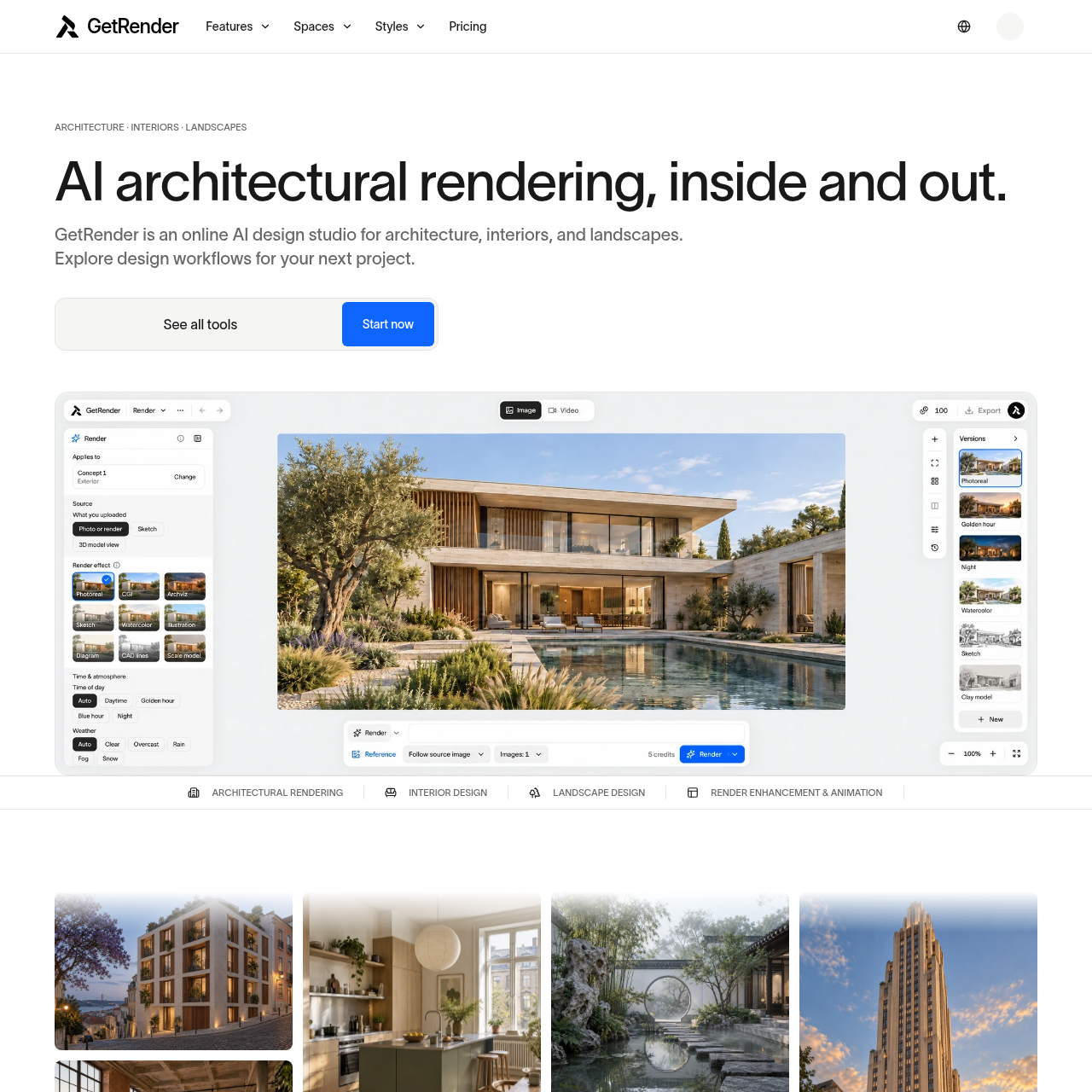
GetRender's Overview
GetRender is an online AI design studio for architectural rendering, interior design, landscape design, render enhancement, and architectural image-to-video workflows. It helps architects, designers, construction professionals, real estate agents, and visualization artists explore concepts from sketches, photos, model views, and existing renders to create visual studies for client reviews, design exploration, and presentations. The platform is positioned for early-stage design direction, material and lighting studies, virtual staging, outdoor space concepts, and presentation-ready concept imagery.
GetRender's Features
AI architectural rendering for buildings, interiors, and landscapes
Sketch-to-render and exterior concept workflows
Interior design workflows including room redesign and virtual staging
Landscape design workflows for gardens, courtyards, and outdoor spaces
Render enhancement for lighting, materials, and visual clarity
Architectural image-to-video for motion studies
Workflow browsing by space, task, and visual direction
Support for reference images, model views, and existing renders
GetRender's Q&A
GetRender's Pros and Cons
Pros
- Covers architecture, interiors, landscapes, and presentation workflows in one platform
- Supports multiple starting points such as sketches, photos, model views, and renders
- Designed for fast iteration during client reviews and design studies
- Includes render enhancement and image-to-video capabilities
- Useful for concept visualization and presentation-ready imagery
Cons
- Does not replace CAD, BIM, or construction drawings
- Does not verify dimensions, structure, materials, or building compliance
- Some workflows are marked as coming soon
- File formats, size limits, and controls depend on the selected tool
- Confidential client material requires extra care based on the privacy guidance
GetRender's Use Cases
- Exploring early architectural concepts from sketches or model views
- Testing facade materials, lighting, and atmosphere
- Redesigning interiors and virtually staging rooms
- Planning landscape concepts for gardens and outdoor living spaces
- Enhancing existing renders for clearer presentations
- Creating short motion studies for architectural presentations
- Supporting client reviews and design discussions
- Helping real estate agents visualize staged properties
GetRender's Target Audience
- Architects
- Interior designers
- Landscape designers
- Construction professionals
- Real estate agents
- Architectural visualization artists
- Design studios
GetRender's Pricing
The pricing page lists Free, Starter, Pro, and Studio plans, with monthly and annual options, credit allowances, and billing details.
GetRender's Analytics
Website Overview
Key performance metrics for getrender.ai
Bounce Rate
0.00%
Pages / Visit
0.00
Total Visits
0
Time on Site
0m 0s
Global Rank
#0
Country Rank
#0
Top Regions
Distribution of traffic by country
Total Visitors
Monthly visitor statistics for the last 3 months
Traffic Sources
Distribution of traffic sources