AI Subtitle Generator in Browser | OpenSubs
Introduction
Transcribe, translate, style, and burn subtitles in your browser. No upload, no account, no watermark. OpenSubs is free and open source.

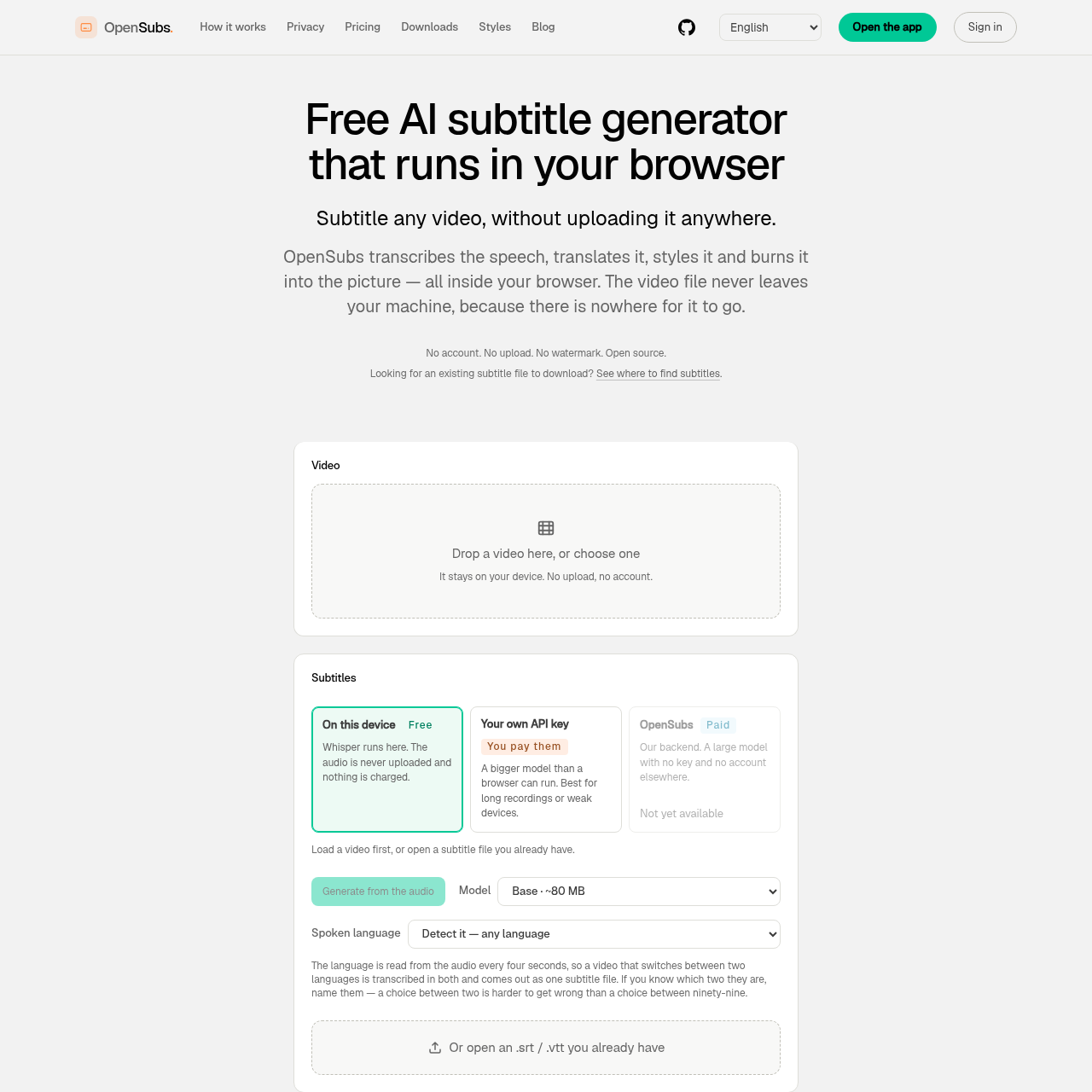
OpenSubs's Overview
OpenSubs is a free AI subtitle generator that runs in your browser and keeps video processing on your own device. It transcribes speech with Whisper, translates subtitles into 20 languages, lets you style captions with 12 presets, and can export SRT, VTT, ASS, or burn subtitles directly into an MP4. OpenSubs emphasizes privacy, with no upload, no account, no watermark, and an open-source AGPL-3.0 codebase. It also offers a browser extension, desktop app, and command-line tool for longer files, batching, or subtitles over videos already playing in a tab.
OpenSubs's Features
Browser-based AI subtitle generation
Local Whisper speech transcription
Translation into 20 languages
12 subtitle style presets with preview
Burn subtitles into MP4 using WebCodecs
Export SRT, VTT, and ASS files
Browser extension for subtitles over playing videos
Desktop app and command-line tool
Open source AGPL-3.0
OpenSubs's Q&A
OpenSubs's Pros and Cons
Pros
- Runs locally in the browser for strong privacy
- No account, no upload, and no watermark
- Free core features with on-device processing
- Supports subtitle export and burned-in MP4 output
- Open source and available across web, extension, desktop, and CLI
Cons
- Cloud translation is paid via credits
- Browser extension is not yet in stores and must be sideloaded
- Desktop builds are unsigned
- Current builds are release candidates, not stable releases yet
- Long files or weak devices may be better suited to the paid or non-browser options
OpenSubs's Use Cases
- Subtitling videos without uploading them
- Translating subtitles for multilingual content
- Burning subtitles directly into MP4 files
- Exporting editable subtitle files for other editors
- Generating subtitles for videos already playing in a browser tab
- Batch or long-file subtitle workflows via desktop app or CLI
OpenSubs's Target Audience
- Content creators
- Video editors
- Developers
- Researchers
- Privacy-conscious users
- Teams needing local subtitle workflows
- Users working with long recordings or batches
OpenSubs's Pricing
Free for local browser-based transcription, translation on device, styling, exporting, and burning subtitles. Paid cloud translation on OpenSubs backend costs $5 for 1,000 credits. Credits never expire, job price is shown before running, and failed jobs cost nothing.
OpenSubs's Analytics
Website Overview
Key performance metrics for opensubs.app
Bounce Rate
0.00%
Pages / Visit
0.00
Total Visits
0
Time on Site
0m 0s
Global Rank
#0
Country Rank
#0
Top Regions
Distribution of traffic by country
Total Visitors
Monthly visitor statistics for the last 3 months
Traffic Sources
Distribution of traffic sources