EveryGen AI Video Studio & Generator | Create Videos, Images, Audio
Introduction
Generate AI videos, images and audio with EveryGen Studio. Plan scenes, edit clips, and create music, voiceovers and effects in one workspace.

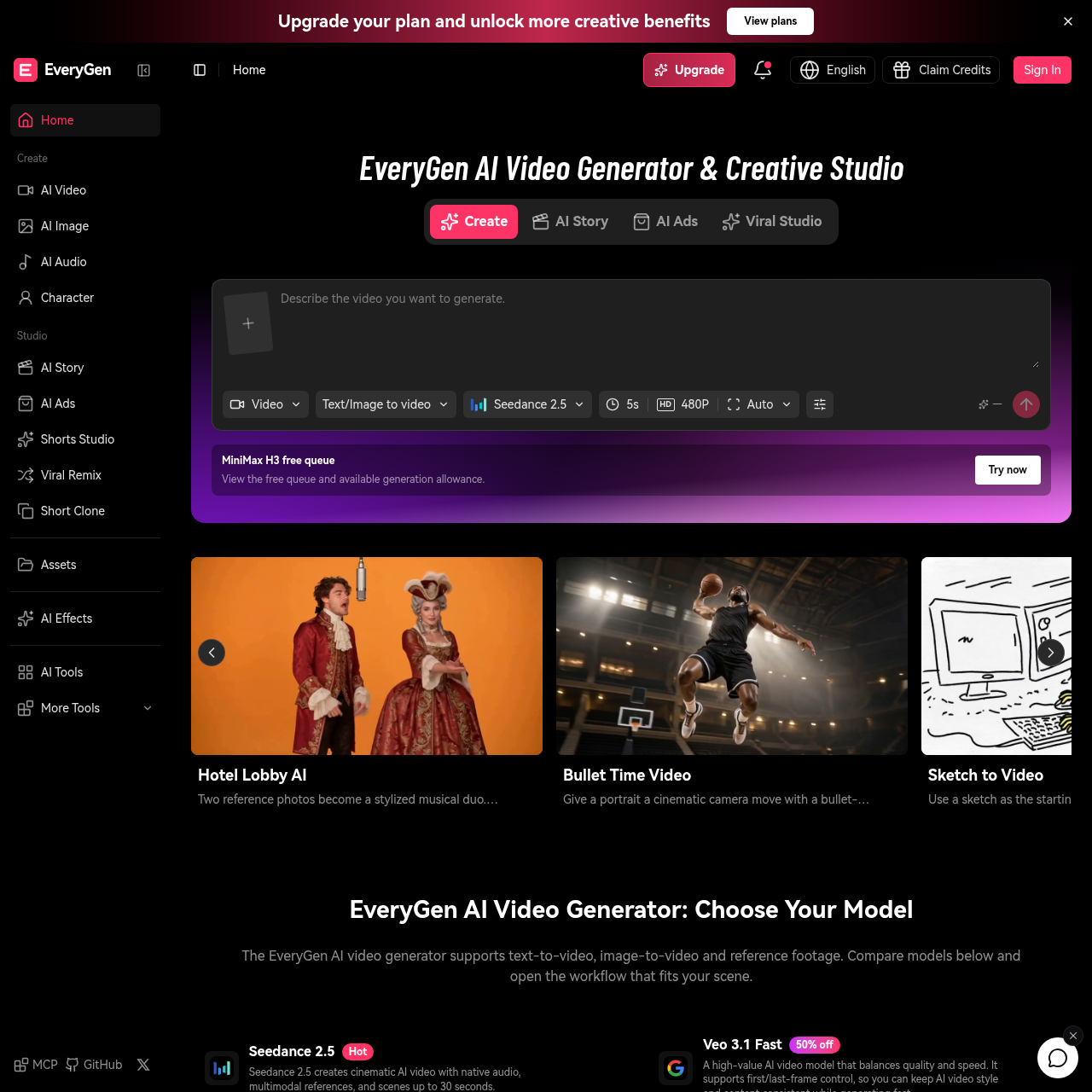
EveryGen AI's Overview
EveryGen AI Video Generator & Creative Studio is an AI-powered creative platform for generating videos, images, audio, music, and sound effects in one workspace. It supports text-to-video, image-to-video, reference footage workflows, AI video editing, motion control, and a guided Video Agent for planning multi-scene projects. EveryGen also offers dedicated tools for AI ads, shorts, viral remixing, short cloning, motion graphics, and image creation/editing. The platform is designed to help users create polished AI video content, product visuals, explainers, social videos, and localized clips, with reusable assets and conversation-based project management.
EveryGen AI's Features
Text-to-video generation
Image-to-video workflows
Reference footage and reference image support
AI video editing
AI video agent for guided multi-scene projects
AI image generation and editing
AI audio, music, and sound effects generation
MCP integration for external assistants
EveryGen AI's Q&A
EveryGen AI's Pros and Cons
Pros
- All-in-one creative studio for video, image, audio, and music
- Multiple AI video models for different quality and control needs
- Supports planning, generation, editing, and asset reuse in one workspace
- Free plan available to test video generation
- Useful for ads, shorts, explainers, product visuals, and social content
Cons
- Free plan includes watermark and limited credits
- Maximum video length is capped at 30 seconds per generation
- Some workflows depend on choosing the right model for the scene
- Pricing details are not fully listed on the homepage
EveryGen AI's Use Cases
- AI ads and promotional videos
- Social media shorts and viral content
- Product visuals and ecommerce creatives
- Explainer videos and tutorials
- Localized clips and video variants
- Animated scenes and stories
- Voiceovers, dialogue, music, and sound effects for videos
EveryGen AI's Target Audience
- Creators
- Marketers
- Ecommerce teams
- Agencies
- Production teams
- Content teams
- Developers using MCP-enabled assistants
EveryGen AI's Pricing
EveryGen AI offers a Free plan with 10 one-time credits to try video generation at 720p with a watermark. Paid plans include monthly or annual credits, watermark removal, and a commercial license. See the pricing page for current plan details and credit amounts.
EveryGen AI's Analytics
Website Overview
Key performance metrics for everygen-ai.com
Bounce Rate
32.39%
Pages / Visit
1.63
Total Visits
2,701
Time on Site
0m 27s
Global Rank
#5,947,341
Country Rank
#72,243
Top Regions
Distribution of traffic by country
Total Visitors
Monthly visitor statistics for the last 3 months
Traffic Sources
Distribution of traffic sources